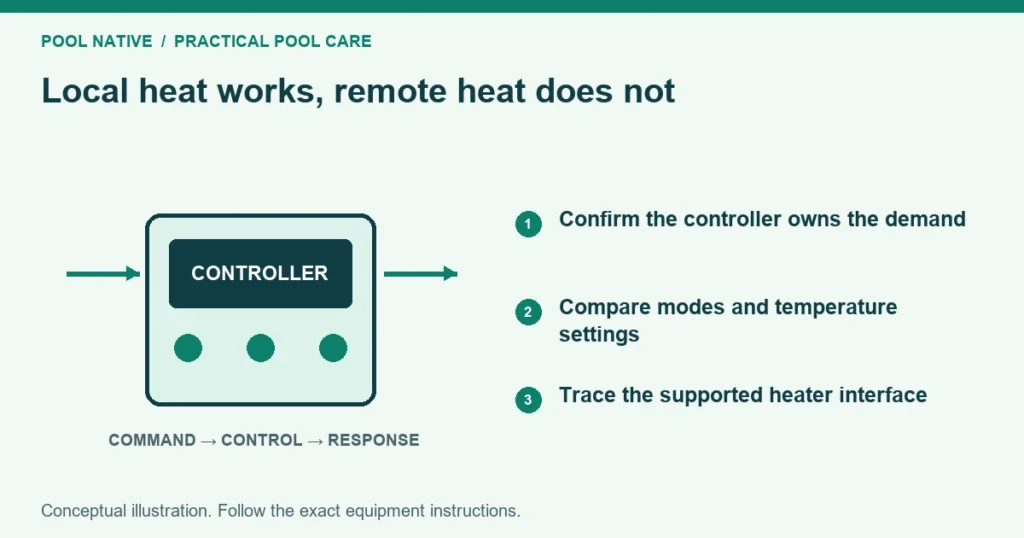
A pool heater not working with automation may still heat from its own controls. That points toward the remote control path, but only if both tests use the same water route and pump conditions. Service mode often changes more than the source of the command.
Start by confirming actual heating, not just an illuminated screen or a running blower. Then trace the request from the app to the outdoor controller and finally to the heater. The point where the observed behavior changes tells you what to check next.
Make the local comparison meaningful
Use only the local operating procedure allowed by your heater and controller manuals. Some remote configurations intentionally disable local buttons. Do not disconnect wires or bridge terminals to force a local test.
Record the selected pool or spa body, pump program, visible valve positions and both temperature settings. Compare those details with the failed automatic attempt. If they differ, the tests have not isolated a control problem.
For example, a hypothetical local test may run the pump at its service speed. The automatic schedule may use a lower filtration speed. Successful local heating in that case does not clear the circulation system of suspicion.
If the heater also fails in its approved local mode, follow the general no heat checks. A new automation configuration will not fix an independent ignition, flow or electrical fault.
Identify who controls the temperature
Different connections divide responsibility differently. Don’t copy a remote setting from another heater just because both are connected to the same brand of controller.
| Connection type | Typical responsibility | Detail to verify |
|---|---|---|
| Two wire heat request | Controller opens or closes a permitted heater control circuit | Required heater mode and local temperature limit |
| Three wire pool/spa selection | Remote equipment selects a body or mode | Whether pool and spa temperatures remain local |
| Supported digital connection | Controller exchanges commands and status with the heater | Exact protocol, equipment setup and device address |
These categories explain the questions to ask, not wiring instructions. A low voltage control circuit is not a mains power input. Connecting the wrong supply or terminals can damage equipment and create a hazard.
A Hayward example: bO does not describe a water valve
The cited Universal H-Series RevE manual uses bO for two wire remote thermostat operation. Its separate three wire arrangement selects pool or spa while temperatures remain locally controlled. That three wire arrangement uses the heater’s standby configuration described in the manual.
This is why “always take it out of standby” is unreliable advice. The required state depends on the connection. Have the installer identify which arrangement is actually present before changing the operating mode.
The bO display also does not mean water is physically routed around the heater. A plumbing bypass valve is a separate component. Either system can be misconfigured independently of the other.
A Pentair example: a disabled keypad can be expected
The cited connected MasterTemp guide describes a digital connection to IntelliCenter. In that remote state, normal local control buttons are inactive and the display can show RS485 Control. That behavior alone is not a keypad failure.
The same manual also describes a separate two wire control connection. The appropriate setup depends on the installed interface. The word MasterTemp on the cabinet is not enough to establish which one the installer used.
Trace the command through three places
First, check the app. Confirm the correct installation, selected body and requested temperature. A pump button or a scheduled circulation period is not necessarily a heating request.
Next, read the outdoor controller’s normal display. Does it show the same body and setpoint? Does it show heating requested, a delay, service mode or another status?
Finally, read the heater display. Record its mode and first fault or status message. If the controller requests heat while the heater shows a flow warning, connectivity is no longer the only question.
| App | Outdoor controller | Heater | Next route |
|---|---|---|---|
| Command changed | No corresponding change | Unchanged | App connection, permissions or wrong selected system |
| Command changed | Correct request visible | No response or remote status unclear | Heater assignment, interface configuration or control connection |
| Command changed | Request active | Fault displayed | Exact heater diagnostic procedure |
| Command changed | Request active | Heating starts, then stops | Timing, water flow and competing control conditions |
Treat the table as an evidence organizer. A displayed command or relay click does not prove an electrical signal reached the intended terminals. The technician must test that path safely if the normal displays cannot resolve it.
Check ordinary settings before installer settings
Confirm that the controller is in the intended automatic operating mode. Service mode and temporary timeouts can alter normal scheduling. Use the service, auto and timeout explanation for the distinction, then follow your exact controller’s instructions.
Review the heating choice assigned to the pool or spa. A system with solar and another heater may have a preferred source or different heating mode. Selecting circulation alone may leave all heat sources off.
Compare the local and remote temperature limits without simply raising both to their maximums. Some installations require a specific local setting so the controller can manage heat. Use the matched heater and automation manuals together.
Check schedule start and end times, controller time and any conflicting pool/spa operation. A manually requested heat cycle may behave differently from a scheduled one. Record that distinction before changing several schedules.
Don’t alter equipment addresses, circuit types or valve assignments as trial fixes. Those installer settings can affect unrelated functions. Save the current configuration and have the installer correct the identified mismatch.
Verify that the automatic water path supports heating
Watch the normal valve transition from a safe position. Confirm that the system selects the intended body and that the pump establishes its approved heating program. Allow documented valve travel and heater delay periods.
A partially diverted heater branch can cause a flow fault despite strong pool returns. A spa that continues spilling into the pool may also distribute heat into the wrong volume. These are hydraulic observations, not proof of failed communication.
If local and automatic operation use different paths, resolve that difference first. The pool valve actuator guide explains how actuator movement relates to pool and spa switching. Do not force an actuator or remove its cover while it is energized.
What to send the installer
Provide photographs of the heater rating plate and the controller model label. Include the three display states, current settings and the time of the failed request. State exactly what “works locally” meant and how long actual heating continued.
Mention any recent controller upgrade, app change, heater replacement or pump programming work. If multiple heaters share a digital connection, the installer will need their configured identities. Do not infer those identities from their cabinet positions.
The final check should repeat the intended automatic heating operation with its normal schedule and hydraulic mode. Confirm the correct body warms, the request ends properly and the required circulation or cooling sequence remains intact. A successful local test alone does not verify that result.
Sources
- Hayward: Universal H-Series owner manual, 51300004201 RevE
- Pentair: MasterTemp installation and user guide
- AquaCal: Issues and Resolutions, LTM1041 Rev A (archived manual)