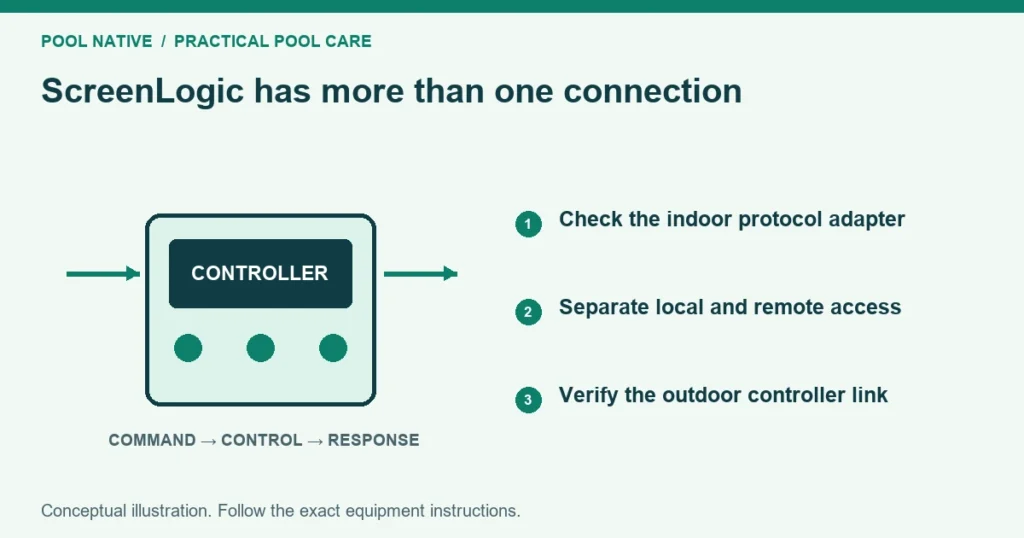
ScreenLogic connection problems occur in different parts of the system. You may be unable to reach the protocol adapter, unable to log in remotely, or logged in without communication to the outdoor controller. Identify which stage fails before replacing hardware.
Start at the outdoor panel and confirm whether the pool still operates locally. Then check the indoor adapter and its network connection. Keep the pool’s normal operating program intact while investigating the interface.
Confirm that this is a ScreenLogic system
ScreenLogic2 serves compatible EasyTouch and IntelliTouch control systems. It is not the standard troubleshooting path for IntelliCenter. Identify the Pentair system if the panel and app names are uncertain.
Find the protocol adapter and record its label privately. Note whether communication to the outdoor panel is wired or uses the ScreenLogic wireless link. The wireless link and the home’s WiFi connection are separate parts of the route.
Photograph accessible indicators before restarting anything. Save the exact error wording and whether the problem began after a router, internet provider or power change. That history can identify the failing stage quickly.
Use the symptom to choose the next check
| Symptom | Start here |
|---|---|
| Adapter not found locally | Adapter power, Ethernet connection and local network access |
| Local access works but remote login fails | Correct system identity, remote credentials and internet path |
| Login succeeds but equipment data or commands fail | Outdoor communication link and controller state |
| Outdoor panel also fails | Controller or power assessment by qualified service |
| Only one device fails from panel and app | That device’s control path and operating conditions |
Do not treat a saved system name as proof of a live connection. A dashboard may open without current equipment data. Check whether a safe, known command produces the expected physical response.
Check adapter power and Ethernet
Pentair’s 2024 troubleshooting guide identifies a red power light on the protocol adapter. Check its accessible power connections and the appropriate supply outlet. Do not substitute an unverified power adapter.
Confirm that Ethernet connects the adapter to a working network port. The guide describes green and amber activity indicators and notes that flashing amber can be normal. A known working cable or port can help isolate a local connection problem.
If the phone is on a guest network or isolated network segment, it may not reach local devices. Check the normal owner network arrangement without exposing the adapter directly to the internet. Do not disable router security or add port forwarding as a generic fix.
Check the remote system identity
Use the six character identifier shown on the protocol adapter in the format required by ScreenLogic. Pentair notes that an apparent letter O is the number zero. Use the configured password if one was created.
Keep those details private and use the manufacturer’s account or support process when credentials are uncertain. Do not erase pool settings to solve a login question. A login rejection is different from a controller that cannot communicate with equipment.
If local operation works, record that fact for support. It helps separate a remote access problem from failure of the whole system. Also note whether other internet services work normally on the home network.
When login works but the pool does not respond
Check the outdoor controller’s current mode and status. Service mode can affect normal commands. Confirm that the requested circuit is one you know how to operate safely.
For a ScreenLogic wireless connection, Pentair calls for a steady power indication and activity on the indoor link’s Rx and Tx indicators. Its guide recommends separating the indoor antenna from the WiFi router to reduce interference. Follow the placement guidance for that exact link hardware.
If the outdoor link remains inactive, arrange inspection of its supply, cable and controller communication connection. Leave the electrical enclosure closed. A successful connection to the indoor adapter does not prove the outdoor connection is healthy.
Restart the interface deliberately
Pentair’s 2024 guide includes a power cycle of the ScreenLogic wireless link supply: off for thirty seconds, then about one minute to boot. Use that step only for the matching arrangement and accessible supply. It is not an instruction to switch the entire pool pad off repeatedly.
Change one thing at a time and record whether the symptom changes. If the connection repeatedly fails after a restart, keep the timing and indicator record. Temporary recovery is evidence, not a permanent repair.
After a network change, the guide also describes a specific adapter reset that returns address assignment to DHCP. That is a network setting change, not a factory reset of the pool controller. Follow the exact manufacturer procedure and consult the network owner if static addressing was intentional.
Handle updates separately from basic checks
Use Pentair’s official ScreenLogic downloads for supported interface and adapter updates. Read the required order and compatibility notes before proceeding. Do not install an old file found in a forum solely because another owner used it successfully.
Do not update several components and reset network settings simultaneously. That makes the cause of improvement or failure harder to establish. Save current versions and a configuration record first where supported.
Give support a useful report
Provide controller family, adapter model, app version, error wording and local versus remote results. Include accessible indicator behavior and recent network changes. Share access identifiers only through an appropriate private support channel.
Ask whether the evidence points to the adapter, network path, wireless link or controller communication. A failed command alone is not proof that the protocol adapter needs replacement. Qualified testing can separate those components.
Verify normal operation after recovery
Check current temperatures or status and test a safe known circuit. Confirm both local and remote access if both are required. Verify that schedules and service mode remain as intended.
If one device still fails after communication returns, investigate that device independently. Do not keep resetting ScreenLogic to solve a heater flow fault or stuck actuator. The interface may be working correctly while the equipment needs service.