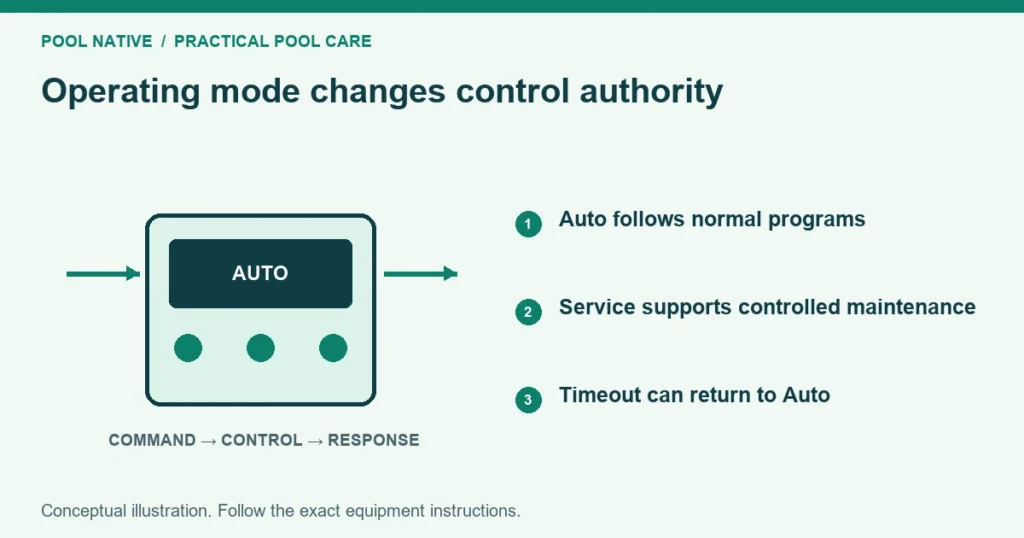
Auto mode normally lets the controller follow its schedules and regular commands. Service mode provides a way to operate equipment during maintenance. Timeout or Timer is typically a temporary service state that later returns to Auto, but its duration and behavior depend on the controller.
None of these modes replaces electrical isolation for repair. Equipment can remain energized even when a screen says Off. Use the equipment’s shutdown and isolation procedure before opening or servicing it.
Identify the controller before using a mode
Read the panel model and match its manual. Similar buttons on EasyTouch, IntelliCenter and other systems do not guarantee identical behavior. The word Timer may refer to service timeout on one screen and a circuit runtime elsewhere.
Record the current mode and any countdown before changing it. If a technician left the system in Service, find out why. It may have been intentional while a repair or unsafe condition remains unresolved.
Pentair system identification helps distinguish the controller from its app interface. Choosing a different app does not change the panel’s service state.
What the three modes generally mean
| Mode | Intended role | Owner check |
|---|---|---|
| Auto | Normal scheduling and supported user commands | Verify the next scheduled operation |
| Service | Local maintenance control under the system’s rules | Confirm why it is active and who will restore normal operation |
| Timeout or Timer | Temporary service control with an automatic return | Read the actual countdown and planned return time |
Use this as a concept guide, not an exact menu instruction for every brand. Read the matching manual for which commands remain available. Remote access and automatic functions may be restricted in service states.
IntelliCenter example
In Pentair’s IntelliCenter user guide, Settings includes Service Mode with Auto, Service and Timer selections. Entering Service or Timer disables active auxiliary circuits, and Manual Circuit Control selects circuits for testing. Auto restores normal system operation.
That guide describes a Timer interval from one to twenty four hours. This is an IntelliCenter example, not a universal timeout for other controllers. Check the duration actually shown on the installed system.
The service timer is separate from a circuit’s Egg Timer. IntelliCenter scheduling explains how an Egg Timer limits a manual circuit run. Do not use the two settings interchangeably.
Why schedules may seem to stop working
A controller left in Service may not follow its ordinary program. The app can still show saved schedules even though the operating state prevents them from running. Check the panel state before deleting and rebuilding the schedule.
Also check the date, time, active program and any temporary override. One device can have a separate fault while the controller is operating normally. A mode change does not repair a disconnected pump or failed valve.
Do not repeatedly power cycle the whole pad to force a schedule. Capture the mode and status first. That evidence is useful if the problem returns after service ends.
Manual control does not prove safe plumbing
Before starting a pump manually, confirm the intended water path and adequate water supply. A valve left isolated for repair can make a normal command unsafe. Keep heaters and feeders within their required flow and operating conditions.
Wait for configured valve movement, priming or heater cooldown delays. Do not cancel protective delays simply to speed up a test. The display may be waiting for a deliberate sequence rather than ignoring the command.
Pool and spa actuator operation explains coordinated routing on shared equipment. A technician should verify both intake and return positions before leaving the system to run automatically.
Timeout can create an unexpected restart
A temporary service timer is useful only when its automatic return is intended. Equipment may resume normal scheduled behavior when the countdown ends. It is therefore unsuitable as the sole protection while someone has equipment open.
For physical service, isolate the relevant energy sources and prevent unintended operation using the equipment instructions. A phone app, panel mode or stopped motor is not proof of electrical isolation. Qualified service is required for electrical work.
If a repair will extend beyond the timeout, the technician must manage that condition deliberately. Do not keep extending a timer while leaving the underlying safety arrangement uncertain.
Return to Auto with a short handover check
Confirm that repairs are complete, covers and fittings are secured, and the intended valves are restored. Check water level and remove tools or temporary test arrangements. Ask the person performing service to confirm readiness.
Then select the normal operating mode using the matched instructions. Observe the immediate response and any planned delays. Verify actual flow and equipment status rather than stopping at the Auto label.
Check the next scheduled start and stop. If the system remains manually overridden, record and clear that override correctly. A circuit that runs once after service has not yet demonstrated that its routine schedule works.
Keep a clear operating note
Record the reason for entering Service, the time, circuits used and the intended return mode. For Timeout, record the countdown and who is responsible for completion. A short note prevents another household member from unknowingly restarting work in progress.
Afterward, keep any permanent changes in the equipment record. If a schedule, speed or valve assignment changed, label it explicitly. Normal operation should be understandable to the next person who visits the panel.