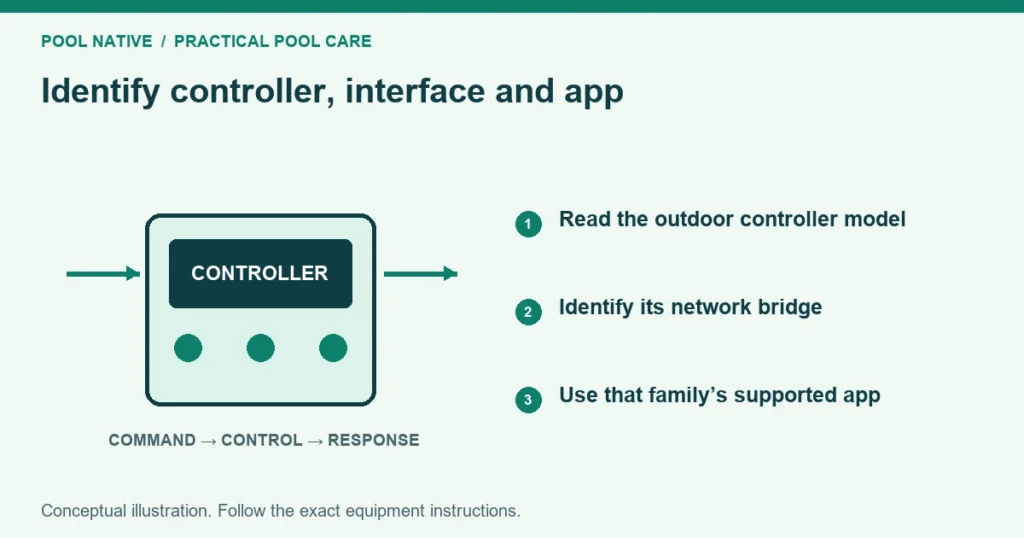
Identify a Pentair pool system from the controller at the equipment pad, then identify its network interface and app separately. ScreenLogic is an interface for compatible EasyTouch and IntelliTouch systems. IntelliCenter is a different controller family with its own supported connection arrangements.
A Pentair pump or a Pentair app on a phone does not establish which whole pool controller you have. Some equipment can be connected independently. Start with the hardware record before buying an adapter or following reset instructions.
Make three separate identifications
Record the outdoor controller family, any interface between it and the home network, and the app used by the owner. Photograph accessible labels and the normal display. Do not open an electrical compartment to read an internal board.
If labels are missing, use installation paperwork or ask a qualified technician to identify the enclosure and installed electronics. A later upgrade may retain an older enclosure. The name on the original invoice can therefore be incomplete.
Keep each finding separate. For example, an EasyTouch controller with a ScreenLogic interface is one combination, not two competing controller identities. That distinction makes troubleshooting much clearer.
EasyTouch and IntelliTouch
EasyTouch and IntelliTouch are established Pentair automation families. Their exact system configuration determines supported equipment and functions. Match the complete model and relevant expansion hardware rather than using family name alone.
A compatible ScreenLogic interface can provide computer or mobile access to those systems. Its presence does not replace the controller that runs the pool. The controller and interface have separate connections and possible faults.
When seeking support, supply both identities. A question about a blank outdoor panel is different from one about an app that cannot find its adapter. ScreenLogic connection troubleshooting follows those separate paths.
ScreenLogic is the bridge to the interface
Look for a ScreenLogic protocol adapter, commonly near the router, with an Ethernet connection and system label. Some installations use a wireless link between indoor equipment and the outdoor controller. Others use a wired communication route.
That outdoor link is not necessarily the same as ordinary home WiFi. Reconnecting a phone to WiFi does not repair a failed link to the pool panel. Record the actual arrangement before changing network settings.
Keep system identifiers and passwords private. A support photograph can show the model while sensitive information is shared through the manufacturer’s appropriate channel. Do not post a complete access label publicly to ask which system it is.
IntelliCenter
IntelliCenter commonly has a color touchscreen and its own network configuration. Confirm the name and system information on the installed panel. A screen appearance is a useful clue, but the model and firmware are the stronger record.
Pentair’s current app integration page uses the name Pentair Pool. Older material and installed interfaces may say Pentair Home or IntelliCenter2. Those names reflect software history and should not be mistaken for three interchangeable hardware controllers.
Check the current manufacturer migration instructions if the account or app changed. A controller that operates locally but is missing from an app may have an account or connection issue. IntelliCenter offline diagnosis separates those possibilities.
Do not confuse a standalone device with whole pool control
A pump may appear in an app through its own connection. That does not mean the app can also control an unrelated heater, lights or spa valves. Each device’s control path needs verification.
Likewise, a physical timer can switch a pump without being a full automation controller. A pool can contain equipment from several brands with limited integration. Record what is actually connected rather than assuming one brand label describes the whole pad.
Use the compatibility checklist before adding equipment. It distinguishes basic electrical switching from richer data control. That matters when comparing an adapter, an upgrade kit and a complete replacement.
A practical identification record
| Item | What to record |
|---|---|
| Outdoor controller | Family, complete model and displayed system information |
| Installed upgrade | Kit or board identity supplied by the installer |
| Network interface | Protocol adapter, bridge or direct network connection |
| Owner interface | Exact app name and version, local panel or remote |
| Equipment control | Which controller owns pump, heater, lights and sanitizer settings |
| Support record | Matching manuals, installer and configuration backup location |
Add photographs of labeled valve routes and circuit names. Keep those separate from access credentials. A later repair becomes easier when the technician knows which button is intended to operate which device.
Choose the next troubleshooting guide from the symptom
If ScreenLogic cannot log in or equipment does not respond after login, use its interface guide. If IntelliCenter operates locally but appears offline, use the IntelliCenter network and account guide. If only one actuator fails, start with actuator movement diagnosis.
A controller in Service may intentionally restrict normal operation. Check Auto, Service and Timeout before rebuilding schedules. A failed app command does not always indicate a network problem.
For a completely unresponsive outdoor panel, record any displayed error and arrange qualified service. Do not open the load center or replace a board based on an app message. Electrical power and controller faults require the proper checks.
Identify before upgrading
Ask the installer to confirm whether the existing enclosure and equipment support the proposed upgrade kit. Include any lost or changed functions in the proposal. A product described as an upgrade for a family may have model and installation restrictions.
Save the old configuration and equipment map where supported. After the change, verify schedules, heating, lights and pool to spa routing. Successful app login is only one part of a successful controller upgrade.