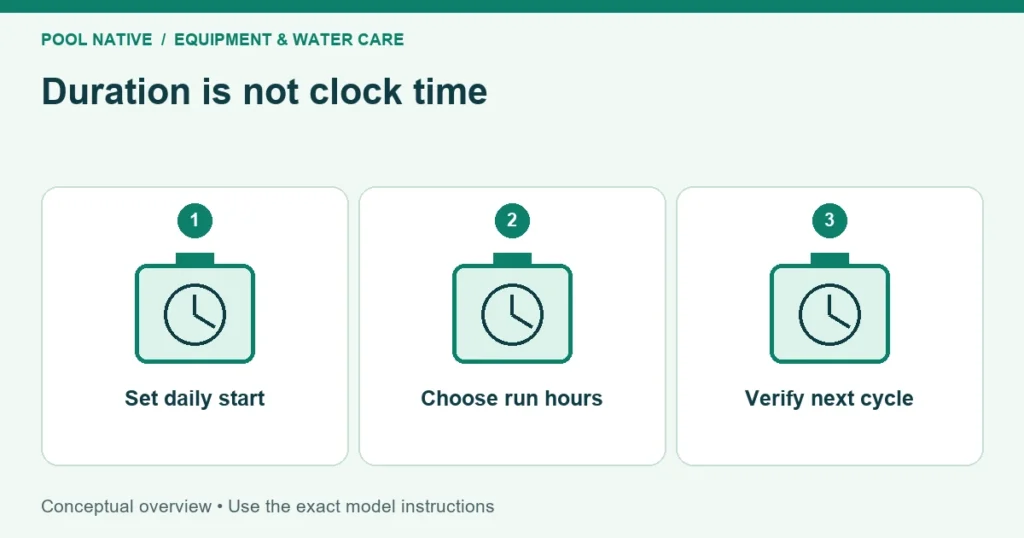
Intex pool pump timer settings usually select how long a daily cycle runs, not a clock time shown on the display. The way you establish the start time depends on the model. Identify the pump and control panel before following a button sequence.
A display showing “06” may mean six operating hours or remaining hours, rather than six o’clock. Standby and continuous operation have their own indicators on applicable models. Read the state as well as the number.
Identify the control version
Record the pump model, manufacturing information, and manual revision. Intex has used different controls and program memory behavior across products and years. Advice for an older rotary control may not apply to a digital keypad or connected model.
The examples below use the digital sand filter controls described in Intex manual 342PO dated June 8, 2018. Check your own manual before applying them. The article also explains why newer support information doesn’t make every older unit behave identically.
If your pump has app scheduling, use the instructions for that connected model. Don’t assume its calendar settings follow the same behavior as a simple daily duration timer. Verify the actual next start after programming.
Understand the common digital states
| Display in the cited digital manual | Meaning |
|---|---|
| Flashing 00 during setup | Ready for programming |
| 01 through 12 | Selected or remaining operating hours, depending on state |
| 00 after the cycle | Standby |
| A dot in power saving mode | Display resting between cycles |
| FP | Timer bypassed for continuous pump operation |
Those indicators are model specific. A dark or minimal display between cycles is not necessarily a power failure. Check the manual’s standby definition before repeatedly resetting the unit.
Also distinguish the chosen duration from the countdown. On the cited digital version, a button press can briefly show preset hours before returning to remaining time. Seeing a smaller number later in the day can be normal.
Set duration at the intended daily start
For the controls shown in manual 342PO, first complete startup and establish normal Filter operation. Keep the pump off whenever changing the multiport valve. Then identify the power button, the Timer button with its clock symbol, and the Lock/Unlock button with padlocks:
- At the intended daily start, press On/Off. Flashing 00 means the unit is ready for programming.
- Press Timer to advance through 01 to 12 operating hours. If you pass the desired value, keep pressing to cycle around again.
- With the correct duration displayed, hold Lock/Unlock until it beeps. That stores the setting and prevents accidental changes.
- Watch startup and confirm steady circulation. Verify the next daily start rather than assuming a successful button press proves the schedule.
This version repeats the cycle at the same time each day. Establishing the program at the desired start is therefore part of setting the schedule. If left unlocked, it automatically locks and starts after ten seconds.
For a hypothetical example, a six hour program started at 9 AM would nominally run until around 3 PM and repeat the next day. The cited manual notes an additional ten minutes beyond the timer setting. Use the actual model behavior when judging a small timing difference.
Don’t interpret the program as six hours on followed by twenty four hours off. The intended schedule is a repeating daily cycle. Record the first start and next day’s start to confirm what the unit actually does.
To change the duration on this version, hold Lock/Unlock until it beeps and the programmed time flashes. Select the revised hours with Timer, then lock again. Other controls may use a different sequence.
Changing hours can differ from changing start time
Changing the duration doesn’t necessarily establish the start time you intend. Manual operation, reprogramming, or a power interruption can affect the cycle differently by model. Consult the timer instructions before assuming the old start is preserved.
If you need a new daily start, program the unit through the model’s prescribed method at that time. Then verify the following cycle. A note on your phone is more useful than repeatedly switching power and guessing where the timer is anchored.
After vacuuming or a maintenance run, return the pump to its intended timer mode. Continuous mode can leave it running far longer than planned. Conversely, leaving it in standby or off can interrupt needed filtration and sanitizer operation.
Choose runtime from the pool’s needs
Use the operating table for the actual pump and pool combination as a starting point. Account for water conditions and additional equipment. Don’t choose a short cycle solely because the pool looks clear at the moment.
Pump flow and installed system flow are different values. If you upgraded equipment, confirm the complete system’s compatibility before relying on a turnover calculation. See the cartridge to sand upgrade guide for that distinction.
The timer controls circulation; it doesn’t measure sanitizer. Keep chlorine and other required water tests in the routine. Extending filtration isn’t a substitute for correcting inadequate sanitation.
Coordinate a separate saltwater system
A separate salt generator needs water circulation throughout its generating period. Intex’s cited guidance calls for the filter pump to run longer than the saltwater unit. Follow the exact overlap and startup requirements for both models.
Write the two schedules side by side. Check that the pump is already circulating when the salt unit needs flow and remains on for its required period. Don’t assume equal displayed durations produce a suitable overlap.
Recheck both schedules after a power outage or manual maintenance. A restarted program can shift one device relative to the other. A no flow warning may therefore be a scheduling issue rather than a failed salt cell.
Power loss behavior depends on the version
Current Intex regional support states that most sand filter pumps restart their last program after power returns. It identifies exceptions for sand filters manufactured in 2019 and the first quarter of 2020. The manufacturing date, not just the purchase date, matters.
Restarting a stored program can also mean starting that program again from the beginning. It doesn’t necessarily preserve the old wall clock start. Check the unit after an outage instead of assuming its display memory proves the schedule is unchanged.
Regional electrical protection and product versions can differ. Use the instructions supplied with your pump and verify behavior safely. A repeatedly tripping protective device needs investigation, not repeated resetting to keep the timer running.
Don’t assume an external timer is approved
The cited 342PO manual explicitly prohibits connecting through external timers and extension cords. A separate regional support article says third party timers may be technically possible but does not establish their suitability. The exact product’s electrical instructions control the decision.
Use the built in controls unless the manufacturer approves another arrangement for your model. Don’t bypass GFCI protection or modify a plug to restore automatic restarting. Have unsuitable electrical supply arrangements corrected properly.
Verify one complete cycle
- Record the model, programmed duration, mode, and intended start time.
- Observe the first start and confirm steady circulation without leaks.
- Check that the pump stops in the expected state after the cycle.
- Confirm the next daily start and any salt system overlap.
- Repeat the schedule check after outages, reprogramming, or maintenance.
If timing remains wrong, compare the displayed preset with the countdown and confirm the manufacturing version. Save those details before contacting support. A verified daily cycle is the useful endpoint, rather than a display that merely shows the number of hours you entered.