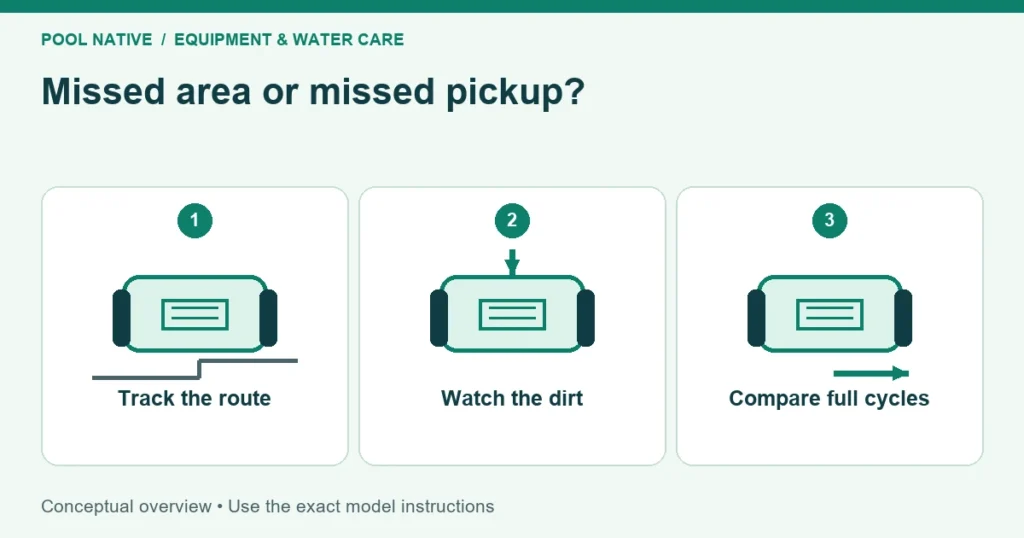
When a pool robot misses spots, first check whether it actually traveled over them. A patch it never reached suggests a coverage problem. Dirt left behind after several passes suggests pickup, retention, or a surface problem instead.
That distinction saves unnecessary parts purchases. A finer filter cannot make the robot enter a corner it never visits. A longer cycle cannot repair a split filter panel that releases what the machine collects.
Map the spots your pool robot misses
Sketch the pool from above and divide it into recognizable areas: shallow floor, deep floor, steps, and any recesses. Mark where loose debris remains before starting. Use existing landmarks rather than placing objects on the bottom as markers.
Watch enough of a complete cycle to distinguish a route from a single pass. Record whether the robot reaches each marked area and whether the dirt disappears. Note interruptions, cable snags, and repeated attempts to climb one surface.
| Pattern after the cycle | More useful interpretation | Next action |
|---|---|---|
| One corner was never visited | Route, reach, or obstacle issue | Check cable and start location |
| Same stripe remains after the robot crosses it | Pickup or attached material issue | Inspect filter and identify the material |
| Floor looks clear, then dust returns later | Resettling or a continuing source | Compare timing and where material first appears |
| Steps remain dirty while the main floor is clean | Possibly outside the model’s capability | Check step specification and clean separately |
| Much of the pool remains untouched after a short run | Session ended or stopped too soon | Check selected program and recorded runtime |
Take a photo from the same position before and after the run. Reflections can make a clean area look patchy, so compare in similar light. Do not treat a stain that stays fixed on the finish as proof the robot missed loose debris.
Check what the selected mode covers
Read the actual program selection, not just the robot’s maximum advertised capability. Floor mode, wall mode, quick cleaning, and scheduled maintenance modes can do different jobs. An app schedule may retain an earlier selection after you change your cleaning routine.
Confirm whether a schedule describes one continuous session or several shorter sessions spread over days. For example, the NIYA Tracker 25 has a Standard floor session and an Eco arrangement with shorter sessions. A planned pause is not necessarily a failed battery.
Compare the actual stop time with the chosen session before adding another cycle. If the robot ends unexpectedly, follow early stopping diagnosis. If it finishes normally but cannot access steps, check step and ladder limitations instead.
Give a corded robot reach without excess cable
Trace the cable from the power supply to the farthest working area. Check whether it catches behind a ladder, wraps around a handrail, or reaches full tension before a turn. Leave the supply at its required safe distance from the water.
Maytronics recommends starting in a repeatedly missed area on applicable models. This is a useful controlled change after the normal cable arrangement is correct. It does not guarantee that every shape of pool will be covered in one session.
If the cleaner reaches the corner when started there but never reaches it from the opposite end, record that difference. Reach, entry location, and travel pattern now deserve attention. If it cannot move normally even when placed there, investigate the surface or obstruction instead.
Follow the cable untangling procedure when loops restrict travel. On a cordless model, skip cable checks and concentrate on usable runtime, selected coverage, and physical access. The absence of a cable does not mean the robot has unlimited cleaning time.
Check for asymmetric movement
A machine that circles repeatedly may spend most of its cycle revisiting the same area. Inspect only with the cleaner safely switched off. Look for visible debris at the tracks or wheels and for a loose, torn, or displaced drive component.
Compare left and right sides without dismantling a sealed motor assembly. A small lodged object or an incorrectly fitted replacement can change the route. Record unusual noises and whether the same side always leads the turn.
Clean the filter using its documented method and refit every panel correctly. The robot filter cleaning guide covers that task in more detail. A filter that looks rinsed on the surface may still need the model’s deeper cleaning procedure.
Do not run without filters merely because a generic troubleshooting page suggests it. Such a diagnostic has model and debris conditions. Use it only when the manufacturer confirms that specific test for your cleaner and pool.
Distinguish loose debris from a treatment problem
If the robot passes over the patch but fine material escapes, use fine dirt retention checks. If debris falls back only during lifting, use retrieval loss checks. Those observations point to different parts of the process.
Sticky or recurring green material needs water care assessment as well as physical cleaning. A robot is not a substitute for a suitable sanitizer residual. Do not keep running it through treatment chemicals outside its permitted water conditions.
For a stubborn mark, avoid experimenting with abrasive robot accessories. Establish whether it is loose sediment, biological growth, or staining. The correct next action may concern the finish or water rather than the cleaner.
Compare two useful runs
An illustrative record might show a full cycle cleaned the deep end but never entered a shallow corner. A second run begins at that corner with the same mode and clean filter. The corner clears, while the rest of the floor remains acceptable.
That is evidence that the cleaner can collect the material there. It supports trying the approved start location as part of the routine. It does not prove a navigation sensor failed in the first run.
If the same patch remains after direct passes in both runs, stop describing it as missed coverage. Record what the intake does and inspect retention or the material itself. Changing one relevant condition at a time keeps the test useful.
For support, send the model, mode, runtime, pool sketch, cable arrangement, and short video of the repeated behavior. Include recent replacement parts and the result of cleaning the filter. That evidence is more actionable than a claim that the robot never cleans the whole pool.