If your pool robot stops early, compare the elapsed session with the program actually selected. An Eco pause, a short cleaning mode, and an interrupted full cycle can look similar from the house. The next useful observation is whether the robot, its power supply, or both stopped.
Save any error message before restarting. A successful restart does not explain why the first session ended. Repeatedly resetting the unit can erase the pattern that would help you or a technician identify the cause.
Decide whether the pool robot stopped early at all
Check the mode on the robot or its app and write down the scheduled session length. Distinguish advertised maximum runtime from the duration of the selected program. “Up to” battery runtime also does not promise the same duration under every load.
Some maintenance schedules divide one charge across several sessions. The machine may park between them, with enough energy reserved for later work or retrieval. A paused schedule should be evaluated against its own instructions, not a continuous cycle assumption.
For example, the LIBERTY 600’s default week long Eco setting uses three one hour sessions spaced three days apart. Its two week setting uses shorter floor sessions. A one hour stop under the first setting can be normal even though another mode runs longer.
If a selected session finishes but leaves areas untouched, use coverage checks. Extending a correctly completed session may help some cleaning loads, but it is a different decision from repairing an early stop.
Keep a short timeline
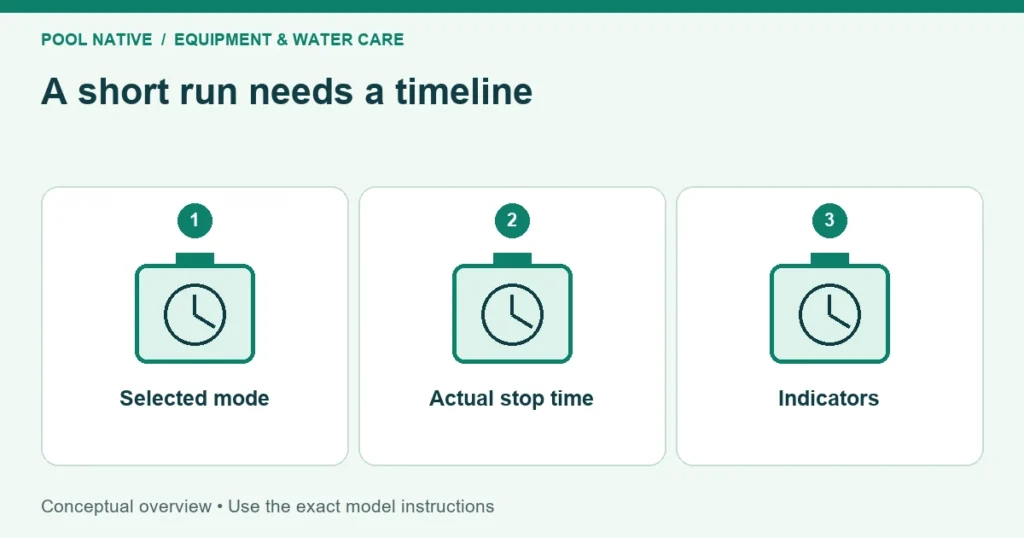
Record the start time, selected mode, initial charge or supply indication, and the actual stopping time. Note what the cleaner was doing immediately beforehand. Include a photo or exact transcription of any alarm.
| Illustrative observation | Interpretation to check | Next step |
|---|---|---|
| Parks after the scheduled 60 minute Eco session | Possible normal completion | Confirm the next scheduled session |
| Stops after 12 minutes with the supply also dark | Corded power path interruption | Check approved supply diagnostics |
| Stops after 12 minutes while the supply shows an error | Robot or connected cable fault | Record code and inspect permitted components |
| Starts fully charged but fades as fine filters load | Load or usable runtime issue | Compare with clean approved media |
| Stops at the same stair on each run | Physical trap rather than elapsed time fault | Investigate the step contact pattern |
The times above are examples, not diagnostic thresholds. Their value is in showing different evidence. An identical duration on several runs can point toward a setting, but it does not rule out a repeatable fault.
On a corded robot, observe the power supply
When the robot stops, check the supply indication from a safe dry position. Maytronics separates a supply that turns off with the robot from one that stays on during an incomplete cycle. That distinction directs the next investigation.
Inspect visible cables and connections only with power disconnected. Look for a damaged cable, loose approved connection, or evidence that the supply became wet. Do not open a sealed power supply or bypass a repeatedly tripping protective device.
Follow the model’s restart procedure if the ordinary checks allow it. Do not adopt a universal “hold this button” or “unplug for this many seconds” recipe from another cleaner. Some controls distinguish startup, pairing, scheduling, and other functions by button duration.
If changing cable position consistently interrupts operation, stop using it and report that observation. Do not keep flexing a damaged section to make it work. The Dolphin cable guide separates routing problems from cable damage.
On a cordless robot, check usable charge and load
Start the comparison only after the cleaner has reached its documented full charge indication. A charger light alone may not establish that state. Follow charging diagnosis if the robot never reaches the expected indication.
Compare like with like: the same mode, a clean filter, similar water conditions, and no known obstruction. A change from a light maintenance cycle to intensive cleaning can change battery use. So can a different approved filter configuration on some models.
The LIBERTY 600 manual specifically notes shorter cycles with its ultra fine panels and with intensive cleaning. That is not a universal explanation for every battery robot. Check whether your own manual describes the same tradeoff before accepting a large runtime loss as normal.
Keep a history over ordinary use rather than repeatedly exhausting a suspect battery for testing. Report a sudden decline or a sharp drop in displayed charge. Do not infer remaining battery life from one short session.
Check accessible obstructions and filter loading
Use the exact shutdown procedure before inspecting the cleaner. Remove and clean the filter, then refit it with all panels and latches seated. Follow the filter cleaning guide and its model limits.
Look for visible debris at tracks, brushes, intakes, and other owner accessible openings. A toy or strand of debris can interfere with movement. Do not reach into an energized impeller or force a sealed drive assembly.
Impeller service instructions differ substantially between corded and cordless designs. Some cordless procedures require a special safety tool or a specific disabling step. If you cannot establish the correct procedure, leave internal access to service.
A robot that improves after ordinary cleaning has provided useful evidence. Still check whether the filter rapidly loads again and whether the selected medium fits the debris. A constantly clogged fine insert may be the wrong first pass for a pool full of leaves.
Check operating conditions without changing chemistry for the robot
Compare water temperature and treatment conditions with the cleaner’s limits. Recent shock treatment, flocculant, or another addition may make operation unsuitable. Wait until both the treatment and equipment instructions permit returning it to the pool.
Do not reduce necessary sanitation merely to meet a cleaner specification. Keep the robot out and choose an appropriate alternative cleaning method until conditions are compatible. Pool care and machine operation must both be satisfied.
If the cleaner is floating or only partly settled before it stops, investigate buoyancy and launch separately. A session that never begins normal submerged movement should not be counted as successful cleaning followed by battery failure.
Escalate with the timeline, not just the symptom
Send support the exact model, chosen program, charge state, start and stop times, and whether the power supply stayed on. Include the error, recent service, filter type, and result after ordinary cleaning. A brief video of the stop can show whether movement or suction ended first.
Stop repeating tests when there is damage, abnormal heat, repeated electrical tripping, or a persistent documented fault. The next step is assessment, not another reset. After repair, verify one complete appropriate session and the cleaning result before restoring an unattended schedule.